|
|
|
SuperLauncher 1.9.4.30 |
 |
| License : |
Shareware |
| Release : |
Temporary re-hooking to keyboard and mouse avoiding having to restart. Stable. |
| Price : |
$29.90 US |
| Language : |
English,French,German,Italian,Portuguese,Spanish |
| File Size : |
3.706 MB |
|
|
|
|
|
Click to enlarge image
|
Description :
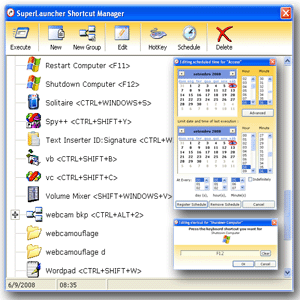
Powerful launcher and scheduler that provides quick access to your favorite applications, folders, websites, and documents. Input new shortcuts by drag-n-drop, launch shortcuts using hotkeys, schedule shortcuts to run one or many times, group shortcuts, automatically insert commonly typed text, display reminders, automate system tasks such as shutdown and restart, and more.
SuperLauncher is a productivity tool that givers you instant access to your most frequently used applications, folders, documents, and websites, saving you the time you would spend making long trips to the start menu, and drilling down folders in Windows Explorer. Due to its extreme ease of use SuperLauncher can not only increase productivity but also reduce stress while working.
But that is not all SuperLauncher can do, the program is also a powerful scheduler that gives you the ability to schedule tasks or groups of tasks to run once or many times over a period. Windows tasks can also be scheduled including system shutdown, restart, hibernate, standby, and logoff.
Taking advantage of its scheduling features SuperLauncher can also be used as a personal reminder program that can alert you of appointments, birthdays and other events via pop-up dialog, desktop alert, or application launching, helping you to keep track of upcoming and recurring events.
All you have to do to add new shortcuts to SuperLauncher is drag whatever program, folder, document or website you want, and drop it over SuperLauncher small desktop window. Wizards instantly let you associate keyboard hotkeys and set up one or more scheduled times for execution.
Complementary features include a text inserter and the capability of grouping shortcuts. It is only fair to say that overall SuperLauncher has all the tools you need to work faster and accomplish more with less stress, proving to be perfect for people or businesses seeking to boost productivity without having to increase working hours.
More information from program website
| Operating System : |
WinXP,WinVista,WinVista x64,Win7 x32,Win7 x64,Win2000,Windows2000,Windows2003,Windows Vista Ultimate,Windows Vista Ultimate x64,Windows Media Center Edition 2005,Windows Vista Starter,Windows Vista Ho |
| System Requirements : |
None |
| Order URL : |
|
| Download URL 1 : |
http://www.pcwinsoft.com/download/splaunchinst.exe |
| Report this |
I would like to report SuperLauncher 1.9.4.30 for :-
|
|
|
| Checkout these similar programs : |
|---|
| | Cursor Hider 1.8.9.17 | | | Cursor Hider hides the mouse pointer while you are typing text or watch a video | Shareware
| |
| | | Active Keys 2.5 | | | Make a controller capable of doing any action with single press of your keyboard | Shareware
| |
| | | | Dragon Jumper 1.63 | | | Jump with little dragon in the lake, eat fruits, collect diamonds and prizes. | Shareware
| |
| | EasyConsole 1.2 | | | Enhances DOS navigation in drives, remember and save DOS commands on buttons | Shareware
| |
| | nnCron LITE 1.17 | | | Small, freeware, full-featured scheduler (UNIX Cron/Anacron ported to Windows) | Freeware
| |
| |
|
|